
What Is Hosting a Number?
If you already have a phone number and want to use it to send texts through Twilio—while still using the same number for calls with another provider—you’ll need to host the number with Twilio.
- Landline numbers: up to 24 hours to host
- Toll-free numbers: 48–72 hours to host
If you prefer to transition the number fully to Twilio for both SMS and voice, you’ll need to port the number. Twilio provides guidance on that process.
Note: Only U.S. and Canadian numbers are eligible for hosting with Twilio.
Getting Started
1. Navigate to Hosting
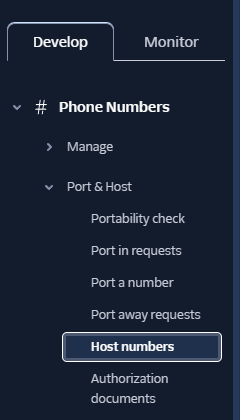
On your Twilio Dashboard, go to: Phone Numbers → Port & Host → Host Numbers
2. Start a Hosting Request
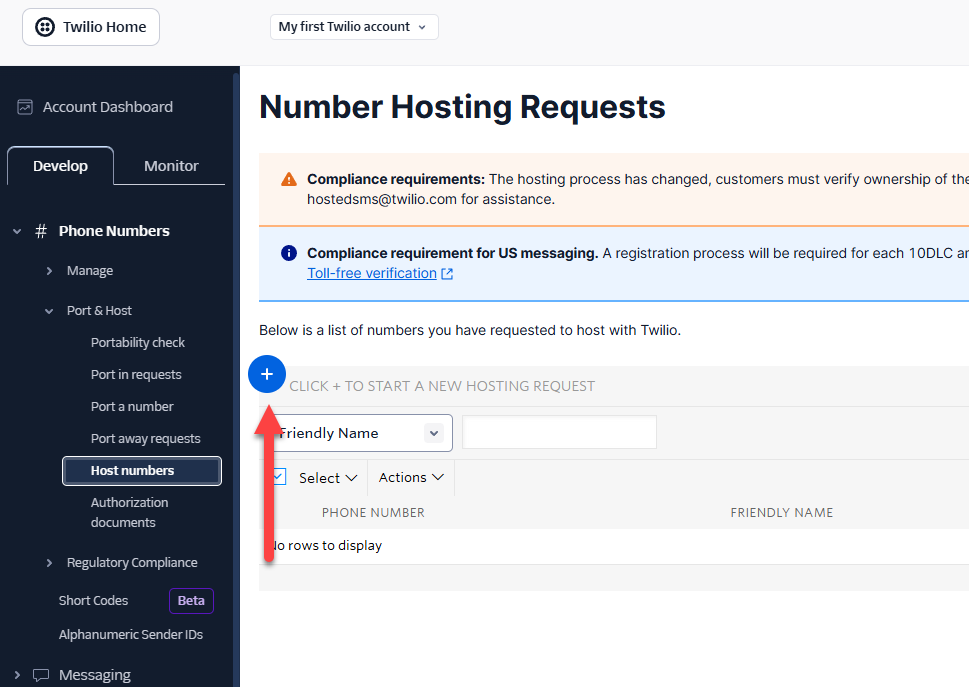
Click the + icon in the top left.
3. Submit Number Details
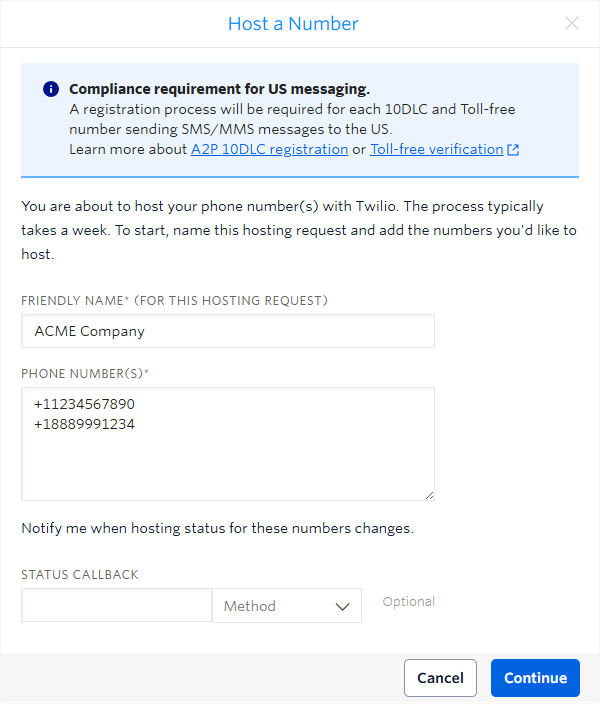
In the pop‑up:
- Add a name for your hosting request
- Enter your phone numbers
- Leave Status Callback, Incoming Message Webhook, and Callback Webhook blank
- Click Continue, then Submit
4. Complete Phone Verification
Twilio will call the number and give you a confirmation token, so ensure you have access to the phone.
If the number automatically moves to “Ready for Letter of Authorization”, skip to Step 5.
5. Sign the Letter of Authorization (LoA)
Once your number reaches the “Ready for letter of authorization” state:
- Twilio will generate an LoA
- The email listed on the LoA will receive a message from HelloSign
- The end user of the number must electronically sign
6. Carrier Processing Begins
After signing:
- Your Hosted SMS order moves to carrier-processing status
- Landline numbers: up to 1 business day
- Toll-free numbers: 2–3 business days
7. SMS Connectivity Testing
Once registered, the number moves to testing to verify inbound SMS functionality.
8. Completion
After successful testing:
- The Hosted SMS order moves to Completed
- Your hosted SMS becomes Active/In Use